;

Agent Builder for Enterprise AI Execution

Design AI workflows that connect AI agents, business context, tool use, branching logic, human approval,

and structured outputs for real enterprise operations.
Agent Builder is more than a tool for creating AI agents. It helps teams turn repeatable business processes into AI agent workflows that can operate across AgentOS.

Generic AI Agents
Are Not Ready for Enterprise Execution

Most AI agents can answer questions, but enterprise teams need more than answers. They need agents that can work with controlled business context, approved tool access, predictable outputs, and reusable execution logic.
Without this structure, AI agents are difficult to trust, difficult to scale, and difficult to apply repeatedly in real business operations.
Key challenges in AI agent adoption
Agents often lack reliable business context
Outputs are inconsistent and hard to reuse
Tool and data access are difficult to control
Agent behavior is difficult to test and govern
Prompt-based agents do not scale into repeatable operations

Design AI Agents 
and Execution Workflows Together

Agent Builder is the AI execution design layer of AgentOS. Teams can define agent roles and instructions, connect data and ontology-based context, configure tool use, add branching logic, include human approval, and define output formats within a single execution flow.
This allows AI to move beyond generating responses. AI agents can reason inside a business process, execute the next step, and pass results into downstream workflows, apps, or automations.
Agent components
Learn more
• Model selection
• System prompt
• Input variables
• Ontology objects
• Knowledge resources
• External tools
• File context
• Output format
• JSON Schema
Workflow components
Learn more
• Agent Node
• Code Node
• Condition Node
• Wait Node
• Email Node
• HITL Node
• Create Ontology Node
• Ontology Query Node

Core Capabilities 
for Enterprise AI Workflow Automation

Agent Builder provides the core capabilities needed for AI agents to understand and execute real business work. Teams can define agent roles, connect business data and tools, configure conditional execution paths, include human approval, and design repeatable AI workflow automation.
Each capability helps AI agents work as part of a real business process across AgentOS
Agent Role Design
Define the agent’s task, decision criteria, instructions, and response behavior.
Business Context Connection
Connect the agent to ontology objects, knowledge resources, files, and relevant business context.
Tool and Data Use
Allow the agent to use approved tools and retrieve the data required for execution.
Conditional Execution Flow
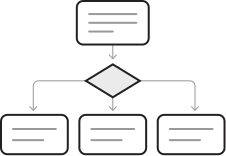
Configure different next steps based on business rules, data states, or workflow conditions.
Human Review and Approval
Add human review or approval steps for important decisions, sensitive actions, or quality control.
Structured Result Generation
Return results in a consistent format that can be used by downstream workflows, apps, or automations.

Reusable AI Agents 
Across Workflows, Apps, and Execution Systems

Agent Builder acts as a central design layer that connects data, business meaning, operational interfaces, and execution systems inside AgentOS.
Pipeline Builder prepares the data. Ontology defines the business meaning and relationships. Agent Builder uses that context to design AI agents and execution flows. App Builder turns those flows into business applications and operational interfaces. ACT-2 connects the designed flow to real execution.
1. Pipeline Builder
Prepare data
2. Ontology Manager
Define business meaning and relationships
3. Agent Builder
Design AI agents and execution flows
4. App Builder
Connect business applications and 
operational interfaces
5. ACT-2
Execute real business work

From Prompt-Based Agents 
to Enterprise Agent Design

Generic AI agent builders often focus on prompt setup and single-task execution. Enhans Agent Builder is designed for enterprise environments where agents need structured configuration, reliable business context, approved tool use, reusable outputs, and connection to real execution systems.
The difference is not only how agents are created. The real difference is whether agents can be governed, reused across business operations, and connected to enterprise execution workflows.
Agent Builder
Generic AI Agent Builders
Prompt-based setup
Limited business context
Unpredictable outputs
Open-ended tool use
Hard to reuse across systems
Difficult to govern at scale
Difficult to validate before production
Enhans Agent Builder
Structured agent configuration
Ontology-connected business context
Free-form or JSON-based structured outputs
Tool use, branching logic, and human approval
Reusable across AgentOS workflows and apps
Designed for controlled enterprise execution
Testable AI workflow execution structure

Built for Controlled, Reusable, and Governed
Agent Execution

Agent Builder is designed for enterprise environments where AI agents must be controlled, testable, reusable, and connected to real business systems.
Teams can define what work an AI agent performs, what data it uses, what conditions guide execution, when human approval is required, and how results are returned. This turns AI agents from standalone assistants into operational units for repeatable business work.
Core requirements for enterprise adoption
Clear definition of business objectives and execution conditions
Managed access to ontology, knowledge, files, and tools
Safe execution flows with branching logic and human approval
Reusable structures for repeatable business operations
Testable execution logic before production use
Operational scalability across App Builder, automation, and ACT-2